Kansas State University

search

IT News

Month: October 2016

Office 365 feature: email safety tips

To help combat spam, malware, and phishing attacks, Microsoft has implemented a feature called Email Safety Tips.

If a message includes a safety tip, it is displayed at the top of your email. The messages have four color-coded categories:

  • Red – Suspicious safety level messages are either a known phishing message, have failed sender authentication, are a suspected spoofing message or have met some other criteria that Microsoft has flagged as fraudulent. Be cautious in reviewing the message. There is a chance that it could be a legitimate email and mismarked. Otherwise delete the email.

    suspicious_safety_tip

  • Yellow – Unknown safety level messages are marked as spam. You can click the It’s not spam link in the yellow bar of a junk mail item to move the message to your inbox.

    Unknown Safety Tip

  • Green – Trusted safety level messages are from domains identified by Microsoft as being safe.

    Trusted safety tip

  • Gray – Safe safety level messages are messages not filtered for spam because it is either considered Safe by the user’s organization, is on the user’s safe senders list or Microsoft marked the message as junk but the user moved it out of the junk folder to the inbox. The gray safety bar also appears when images within the message have been disabled.

    Safe Safety Tip

You will see all four types of Safety Tips when using Outlook on the web. However, Outlook clients will only show the Suspicious saftey tip.

If you have any questions, contact the IT Help Desk (helpdesk@k-state.edu or 532-7722.)

K-State Online updates

by Information Technology ServicesK-State Online Info graphic

Updates to Canvas were released on Oct. 29. Canvas operates on a monthly release cycle through which features are added or updated on the third weekend of the month.

To see all the new features and fixed bugs, view the complete October Release Notes. In addition to the Canvas release, Information Technology Services releases updates to services and integrations with K-State Online through the month as necessary. Continue reading “K-State Online updates”

Nov. 2 event: Using video to improve instruction, presence, interaction

by Information Technology Servicesplay_button

Learn how to use video in different ways to improve instruction, presence, and interaction in both face-to-face and online instruction. Join Brent Anders, senior electronic media coordinator, for a presentation on how video can be created and used to help with instruction of the course content as well as to help establish and increase instructor presence. Continue reading “Nov. 2 event: Using video to improve instruction, presence, interaction”

Nov. 11: Exploring Advanced Features of Qualtrics training

“Exploring Advanced Features of Qualtrics” training is 1:30–3:30 p.m. Friday, Nov. 11, in 401B Hale Library. All faculty, staff, and students who use this research suite are welcome to attend.

Qualtrics Advanced Training, Friday, Nov. 11, 3:30-4:30, 401 Hale Library

Continue reading “Nov. 11: Exploring Advanced Features of Qualtrics training”

Be aware of increase in university phishing scams

Since Jan. 1, Information Technology Services reported and blocked more than 2,100 phishing scams. However, before the blocks were in place, nearly 1,000 K-Staters shared their eID passwords.

Remember: You are responsible and the best line of defense to protect your identity, personal information and university resources. K-State will never ask for your eID password over the phone or in an email.

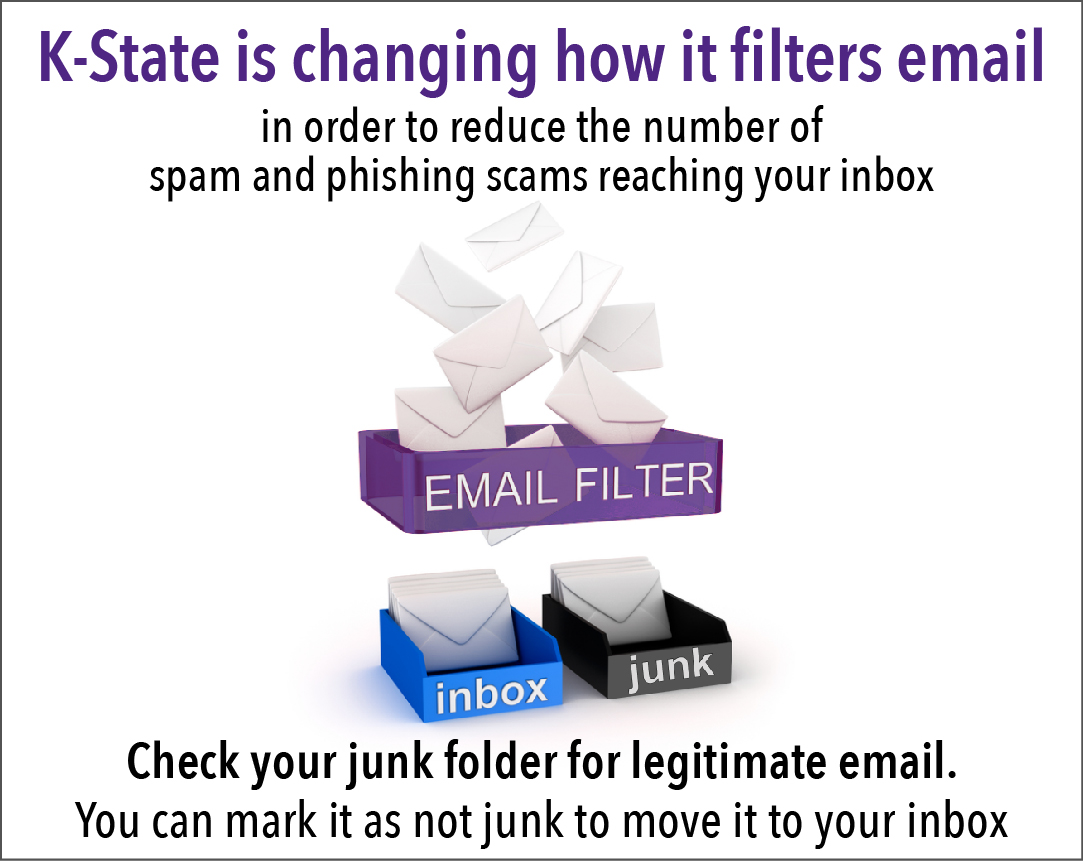
Attention: ITS staff will change the way K-State filters email on Thursday, Oct. 27. Specifically, email coming through k-state.edu or ksu.edu domains will be run through an email filtering process to reduce the amount of spam and phishing scams reaching your inbox. With the number of spam emails and phishing scams coming through to ksu.edu and k-state.edu addresses, we all need to change our practices.

K-State is changing how it filters email. Check your junk folder for legitimate email.

Continue reading “Be aware of increase in university phishing scams”

Additional ETDR walk-in sessions during ETDR deadline week of Nov. 18

Graduate students who plan to send their electronic theses, dissertations, and reports (ETDRs) to the Graduate School have about four weeks left before the semester deadline of 5 p.m. Friday, Nov. 18, when ETDRs must be submitted via the K-REx system.

In addition to ETDR walk-in clinics every Tuesday through Nov. 8 in 301A Hale Library, five extended-help sessions are scheduled Nov. 14-18 in the Media Development Center, 213 Hale Library (adjacent to the IT Help Desk):

  • Monday, Nov. 14 — 1-5 p.m.
  • Tuesday, Nov. 15 — 10 a.m.-2 p.m.
  • Wednesday, Nov. 16 — 9 a.m.-1 p.m.
  • Thursday, Nov. 17 — 9 a.m.-5 p.m.
  • Friday, Nov. 18 — 9 a.m.-5 p.m.

Distance students and those not on the K-State-Manhattan campus may schedule Zoom and phone meetings on a first-come, first-served basis by using the ETDR Request Form (K-State eID/password required).

More about ETDR services is on the ETDR website at k-state.edu/grad/etdr.

Easily access some of your K-State balances

by Information Technology Services

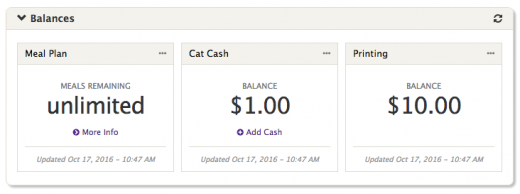
Do you know your free printing balance? What about your current Cat Cash balance or the number of meals remaining on your meal plan? With the new Balances widget in Connect, students, faculty and staff can easily check all three.

balancesscreenshot

Continue reading “Easily access some of your K-State balances”

K-State Online October updates

by Information Technology ServicesK-State Online Info graphic

Updates to Canvas were released on Oct. 8. Canvas operates on a monthly release cycle through which features are added or updated on the third weekend of the month.

To see all the new features and fixed bugs, view the complete October Release Notes. In addition to the Canvas release, Information Technology Services releases updates to services and integrations with K-State Online through the month as necessary. Continue reading “K-State Online October updates”

Dell Product Roadmap Presentation

Dell and the Information Technology Services invite you to a Client Roadmap presentation with Jeff Cannon, Jay Tunnell, and Jerry Adams of Dell. The presentation will be 3 p.m., Tuesday, October 11, in 501 Hale Library (Hemisphere Room).

The presentation will include a review of current and upcoming product details for Dell’s professional models. There will also be a discussion on the current models posted on the Kansas State University Premier page.

Your feedback is requested to help increase and refine those offerings. Send any questions to Kristin Tobias, 785-532-5395, kristin9@ksu.edu.